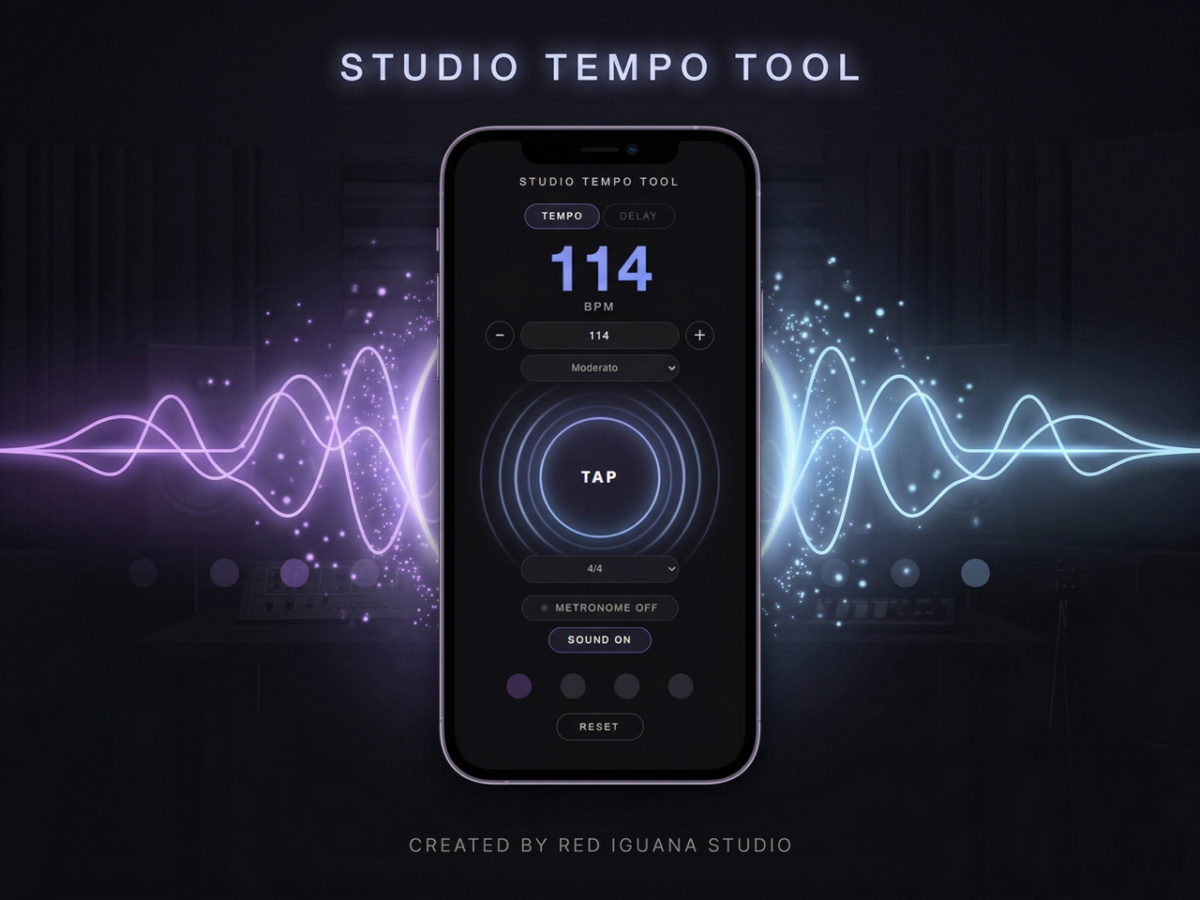
RED IGUANA STUDIOでは、レコーディングやミックスにおいてBPM(テンポ)の決定を極めて重要なプロセスと考えています。 楽曲の持つエモーションを最大限に引き出すために、直感的なタップ操作や正確な計算が不可欠です。本ツールは、当スタジオのエンジニアが現場で培った知見を元に、クリエイターの皆様がスムーズに楽曲制作に没頭できるよう設計された、シンプルかつ高精度なテンポ算出ツールです。制作のインスピレーションを逃さず、正確な数値へと変換します。※自分自身が使いやすいと思えるTAPテンポ・ディレイ計算機を目標に制作をしております。2026年3月21日現在は【β版】となります。フォードバックを受けて更に使いやすいツールへ進化をさせていきます。
このタブではBPM(テンポ)の計測・設定ができます。
BPMの設定方法は3つあります。まず、大きなTAPボタンを曲のリズムに合わせて叩くと、自動的にBPMが計算されます。次に、Enter BPMの入力欄に直接数字を入力する方法。また−と+ボタンで1ずつ増減することもできます。3つ目は、Select TempoのメニューからAndanteやAllegroなどのテンポ名を選ぶと、そのテンポの代表的なBPMが自動で入力されます。
BPMが決まったら、拍子のメニューから拍子を選んでください(1 Beat・2/4・3/4・4/4・5/4・6/8・7/8)。
Metronome OFFボタンを押すとメトロノームがスタートします。下のドットがビートに合わせて光り、1拍目はアクセントとして強調されます。もう一度押すと停止します。
Sound ON / Sound OFFでクリック音のオン・オフを切り替えられます。オフにしてもドットの点滅は続きます。
RESETボタンですべてリセットされます。
このタブでは、設定したBPMをもとにディレイタイム(ms)を確認できます。
TEMPOタブで設定したBPMは自動的に引き継がれます。このタブ内の入力欄や−・+ボタンから直接BPMを変更することも可能です。
表には1/1から1/128まで各音符のディレイタイムが表示され、それぞれNormal(通常)・Dotted(付点)・Triplet(三連符)の3種類が確認できます。下にスクロールして全ての値を確認してください。
This tab lets you set and measure BPM (beats per minute).
There are three ways to set the BPM. First, tap the large TAP button repeatedly in time with the music — the BPM will be calculated automatically from your taps. Second, type a number directly into the Enter BPM field, or use the − and + buttons to adjust by 1 at a time. Third, use the Select Tempo dropdown to choose a tempo marking like Andante or Allegro, which will input a typical BPM for that tempo.
Once your BPM is set, select a time signature from the dropdown (1 Beat, 2/4, 3/4, 4/4, 5/4, 6/8, 7/8).
Press Metronome OFF to start the metronome. The beat dots at the bottom will light up in time, with the first beat accented. Press again to stop.
Sound ON / Sound OFF controls whether you hear the click. The visual dots will continue to flash either way.
Press RESET to clear everything and start over.
This tab shows delay times in milliseconds (ms) based on your BPM.
The BPM set in the TEMPO tab carries over automatically. You can also enter or adjust BPM directly using the input field and − / + buttons on this tab.
The table lists note values from 1/1 down to 1/128, each showing three variants — Normal, Dotted (D), and Triplet (T) — so you can quickly find the right delay time for your effect. Scroll down to see all values.